Brand Identity
The AnyTa identity combines two ideas: the craft of embroidery and the precision of a digitizing tool. The logo shows a wooden hoop with a needle and colored threads; the interface, on the other hand, uses a technical graphite aesthetic with a lime accent. That pairing —the warmth of thread, the precision of software— is the axis of the entire brand.
Application information
| Field | Value |
|---|---|
| Name | AnyTa |
| Meaning | Any Thread Art |
| Type | Embroidery digitizing software, free and closed-source |
| Reference version | 0.1.0 (active development) |
| Platforms | Windows 10+, macOS 12+, Linux (glibc 2.31+) |
| Website | anyta.io |
| Download | anyta.io/download |
| Application license | AnyTa Proprietary Freeware License 1.1 |
| Documentation license | CC BY 4.0 |
| Technology | C++20, Qt 6, QML, CMake, GPU canvas rendering |
| Input | SVG, bitmap images (tracing), and .any projects |
| Output | DST, PES, JEF, and EXP |
| Automation | Integrated MCP server (JSON-RPC 2.0) |
Official description
AnyTa is an embroidery digitizing application that imports SVG vector graphics, converts them into machine-ready stitches, and exports to the industrial DST, PES, JEF, and EXP formats. It includes an integrated MCP server that lets language models control the entire workflow.
Logo
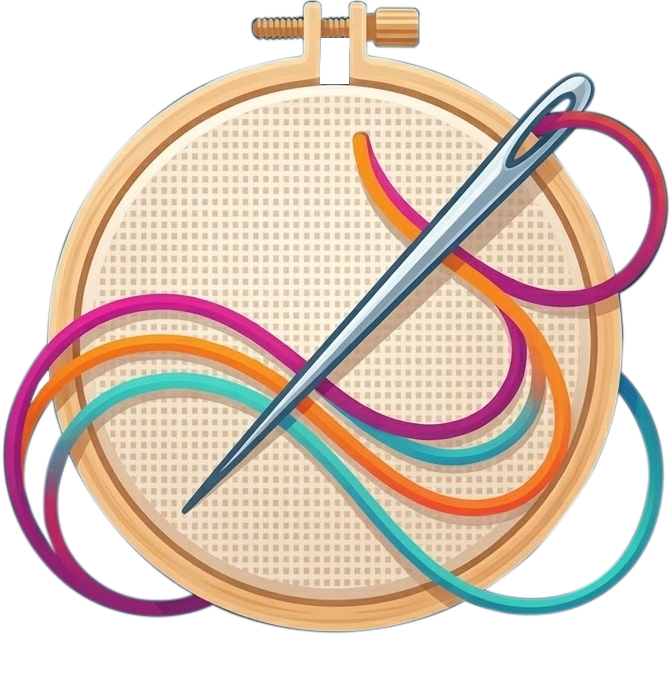
Full version
Splash, web, and cover

Compact mark
Navigation bar, icon, and avatars
Application icon
Desktop and stores
Elements
- Wooden hoop: the craft, the physical support of embroidery.
- Diagonal needle: the digitizing tool and the entry point.
- Magenta, orange, turquoise, and violet threads: the thread palette and creative freedom.
- Cream weave: the fabric; the neutral background on which the design is built.
Usage rules
- Keep the original proportion; do not stretch, rotate, or crop the logo.
- Do not change the colors of the threads, wood, or needle.
- Leave a clear margin equal to the diameter of the hoop around the logo.
- Minimum size: 24 px for the compact mark and 96 px for the full version.
- Use the compact mark on dark or very busy backgrounds; the full version needs a light background or the application's graphite surface.
- Do not add shadows, gradients, outlines, or overlaid text.
Color palette
The following values are the actual interface tokens
(src/app/qml/Style.qml). Use them as a reference when creating screenshots,
illustrations, and documentation material.
Surfaces
| Token | Hex | Use |
|---|---|---|
background | #1A1D21 | Window background |
surface | #23272E | Panels and cards |
surfaceAlt | #2A2F37 | Fields and insets |
surfaceHover | #2F353E | Control hover |
canvasBg | #F4F5F7 | Design area (light) |
borderDefault | #3A404A | Borders |
Text
| Token | Hex | Use |
|---|---|---|
textPrimary | #E8EBF0 | Primary text |
textSecondary | #A8B0BC | Secondary text |
textDisabled | #6A7280 | Disabled text |
Accent and AI surface
| Token | Hex | Use |
|---|---|---|
accentPrimary | #D8FA99 | Primary action, focus, selection |
accentHover | #E6FFB0 | Accent hover |
accentActive | #C6EA7E | Accent pressed |
aiAccent | #8B5CF6 | AI features |
aiSurface | #2B2242 | AI panel background |
Semantic
| Token | Hex | Use |
|---|---|---|
success | #6FE08A | Confirmation |
warning | #F5C054 | Warning |
danger | #F0705E | Error |
info | #6FB8F0 | Information |
Logo colors
| Element | Hex |
|---|---|
| Magenta thread | #D6318C |
| Orange thread | #F28C28 |
| Turquoise thread | #25B7B0 |
| Violet thread | #7C4DBE |
| Fabric | #F6E7CC |
| Wood | #D9B27C |
The lime #D8FA99 works as an accent on graphite, not as a text color on white.
In light documents, use the deep green #5F7A1E for links and interactive text.
Typography
- Interface and documentation family: the system stack
(
system-ui, Segoe UI, SF Pro, Roboto), the same one the application uses. - Headings: weight 700, with a clear hierarchy; avoid all caps except in short labels.
- Body: 16 px with 1.65 line height in the documentation.
- Technical data: monospaced for code, file names, tokens, and hexadecimal values.
- Figures and units: write
5 mm,2.5 mm, and0.4 mmwith a decimal point in English.
Iconography
The interface includes more than 100 SVG icons in src/app/icons/, drawn on a
20 × 20 px grid.

Select

Stitch / run

Column C

Complex Fill

Realistic view
- Stroke of 1.4 px, rounded corners and ends.
- Inherited color (
currentColor): secondary gray at rest, lime in the active state, violet in AI actions. - Line style, no fill; do not mix line icons with solid ones.
- In documentation, keep the icon next to a text label: never use it alone to communicate an action.
- Whenever you reference a tool, button, or interface control, include its
real icon using the
tool-icon(tables) oricon-inline(text) classes. - Do not recreate icons with emojis; use the original SVG asset.
Tone and voice
- Direct and technical, with no marketing inside the manual.
- Address the reader as you and use the imperative in steps: "Open the panel," "Select the object."
- Name controls exactly as they appear in the interface and highlight them in
bold; use
codeonly for values, paths, and shortcuts. - Explain the result first, then the procedure.
- In English, preserve brand capitalization: AnyTa, not
AnytaorANYTA.
Applying the brand in this documentation
- Dark theme by default, with graphite surfaces and a lime accent.
- Compact logo in the navigation bar and as a favicon.
- Screenshots on the application's dark theme; the canvas may appear light.
- The documentation is published under CC BY 4.0; the application is proprietary freeware and its source code is not distributed.
Resources
| Resource | File |
|---|---|
| Full logo | /img/anyta-logo.png |
| Compact mark | /img/logo.svg |
| Application icon | /img/anyta-icon.png |
| Social card | /img/anyta-social-card.svg |
| Welcome screen | /img/anyta-splash.jpg |